
✂️ Copy Button
Access this feature through the icon
🎯 3 Powerful Copy Modes
🖱️ Simple Click
✨ Instantly copy the current page URL to your clipboard! 🚀
- Perfect for quick link sharing 📤
- One-click convenience ⚡
- Works on any webpage 🌐
📝 Select Text + Click
🔗 Creates a smart deep link to that specific passage!
- 📍 Auto-scroll: Opens page & jumps directly to the selected text
- 🎯 Smart Highlighting: Selected text gets highlighted automatically
- 📖 Perfect for quotes: Great for citing specific lines or paragraphs
- 💡 Research helper: Share exact references with precision
🖐️ Long Press Magic
✨ Enter multi-text-copy mode for advanced content gathering!
- 🌈 Visual highlighting: Different webpage sections light up with colors
- 🎯 Multi-selection: Click multiple elements to build your clipboard collection 📋
- ✅ Easy completion: Tap "Done Selecting" to finish and exit mode
- 🧩 Perfect for research: Grab content from different containers on complex pages
- 📊 Data collection: Extract info from tables, lists, and scattered content
🎬 Live Demo
📱 Screenshots Gallery
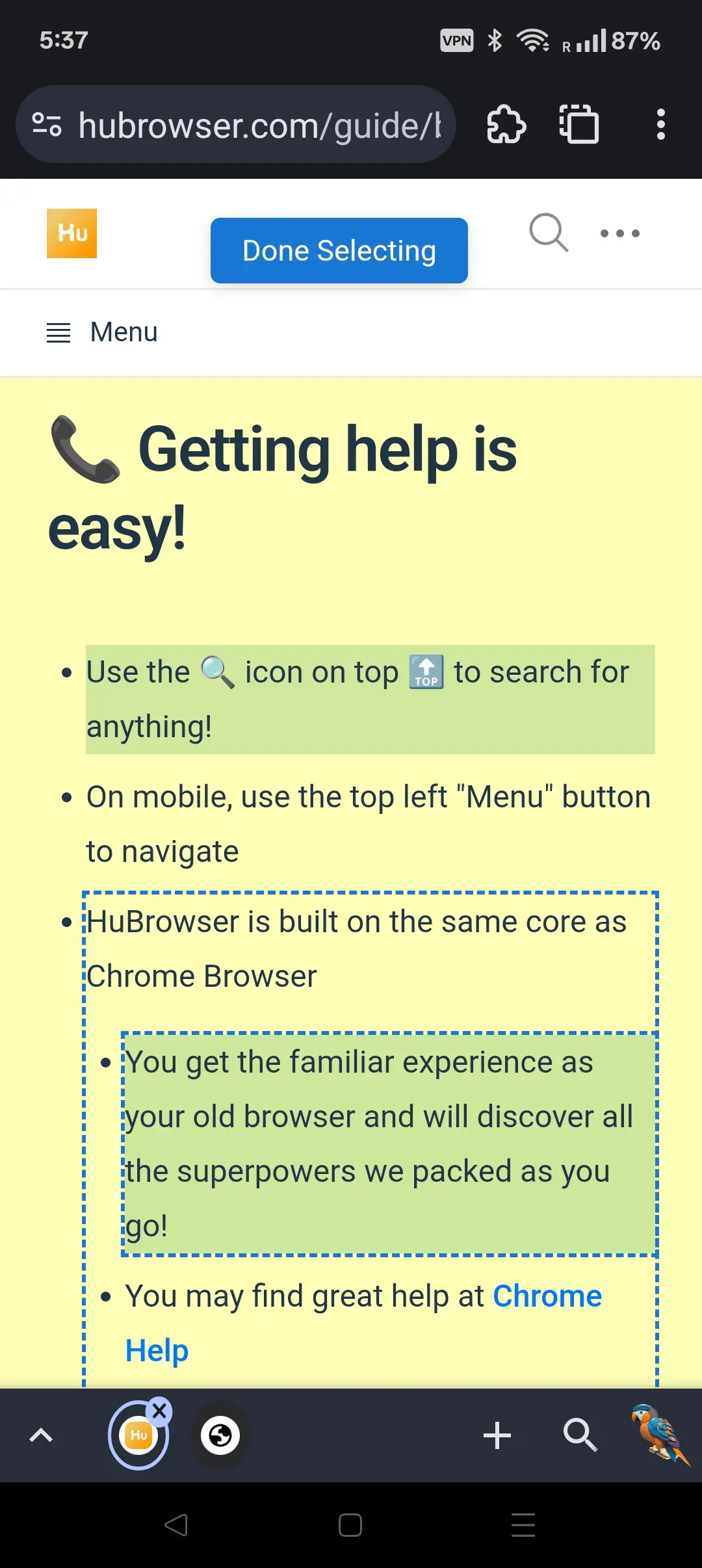 Mobile interface showing copy button in action
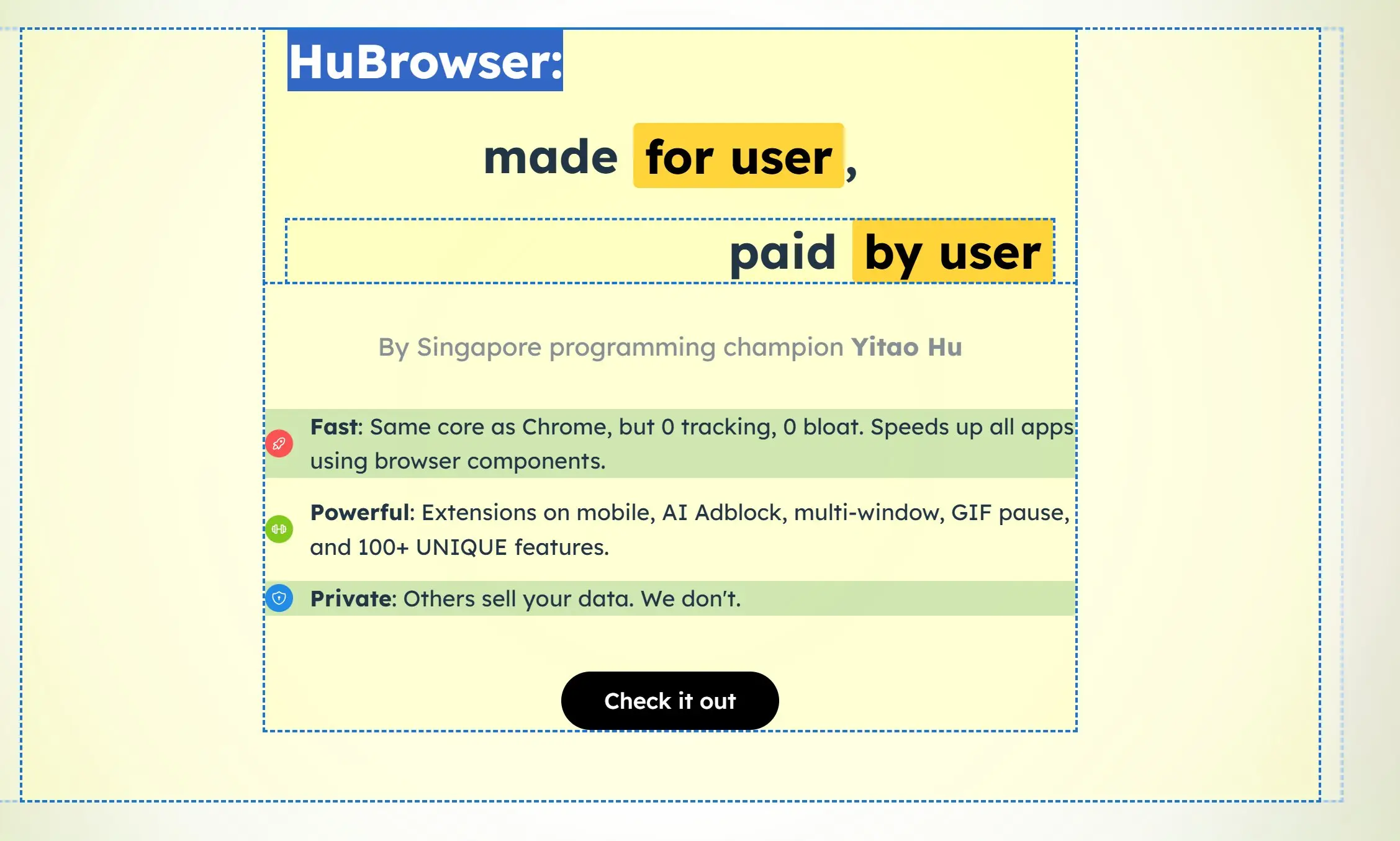 Tablet view with multi-selection highlighting
💡 Pro Tips
- 🎯 For Quick Sharing: Use simple click for instant URL copying
- 📚 For Research: Long press mode is perfect for gathering multiple sources
- 📝 For Citations: Select+click creates perfect reference links
- ⚡ Speed Tip: The copy button works faster than traditional copy-paste methods!