
SelfReason Android: AI, offline-ready
SelfReason is the world's first (in late 2024) app to deliver fully offline, multimodal AI on regular consumer smartphones. 🎉🎉
- 💪 Powerful and efficient offline AI experience
- ☁️ Faster, more private, and more affordable cloud AI
- 🔄 Flexible coordination across multiple AI services
Note: Some features require a membership. See HuBrowser Membership for details.
Download now and start using it for free.
Today, most on-device AI solutions come from phone manufacturers and usually depend on specialized hardware.
There are also local AI apps, but many only support text input, and common downloadable models often run too slowly on regular phones.
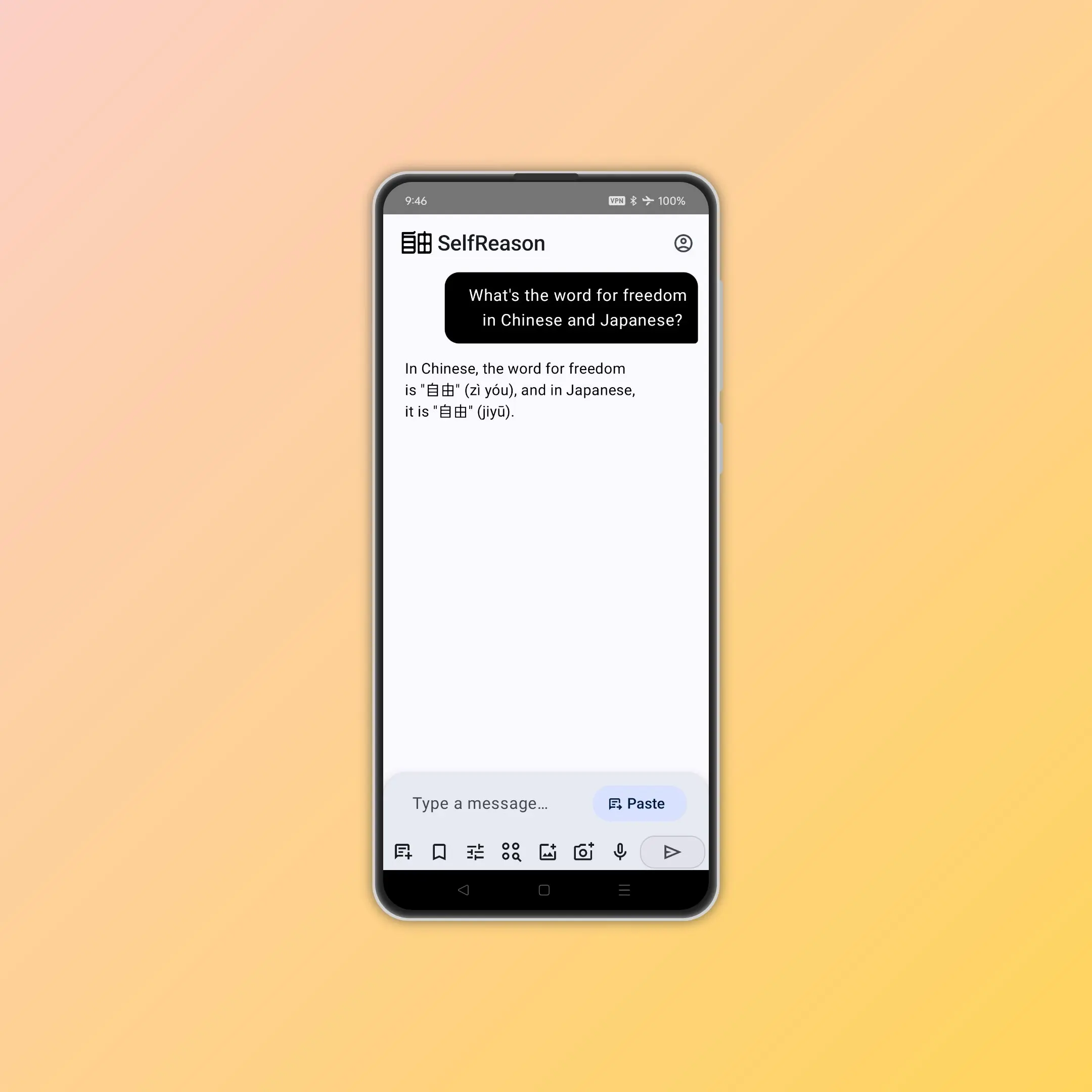
SelfReason is designed from real AI usage needs first. It is faster, more capable, and multimodal.
As the name suggests, AI features in the SelfReason ecosystem (such as the SelfReason app, AI Adblock, and Reader Mode) focus on self-sufficiency and local processing whenever possible. You can even enable airplane mode and keep using it.
We will also release versions that can seamlessly operate HuBrowser and complete complex tasks. 🚀
🎬 Video demos
✨ Highlight 1: SelfReason offline AI
Offline mode focuses on three things: works without internet, keeps your data in your hands, and runs on phones. More importantly, it is not a desktop workflow forced onto mobile; it is designed for mobile from day one.
- 📶 Available anytime: works even without internet or on unstable networks
- 🔒 Privacy first: your data stays under your control and reduces exposure risk
- 💰 No extra subscription required: you do not need a recurring cloud subscription
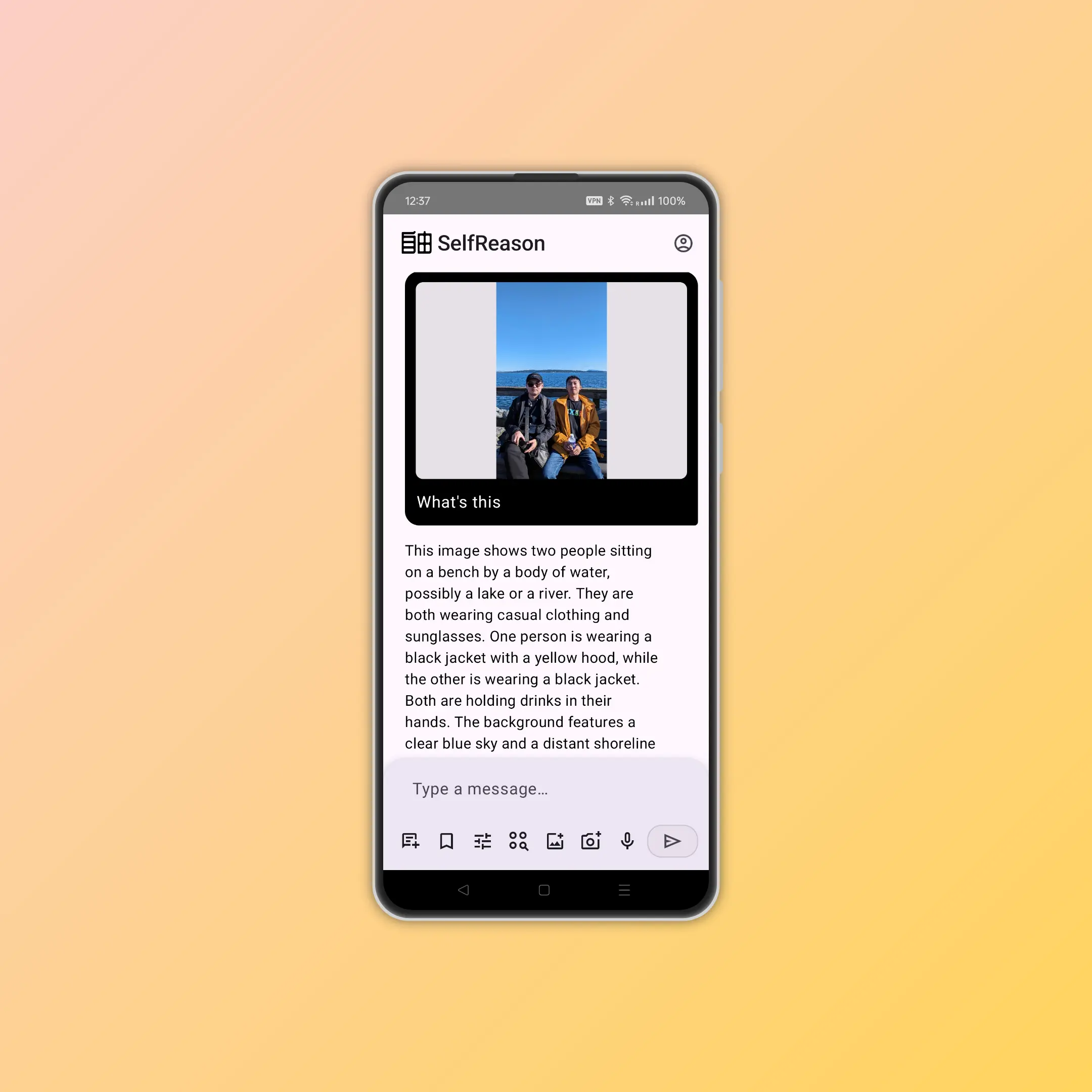
- 🧠 Multimodal support: supports text, voice, and images
- 📱 Mobile-first design: many AI models struggle even on PCs, let alone phones and tablets. With over a decade of architecture experience from HuBrowser, SelfReason is optimized to run smoothly on consumer devices
- ⚙️ Native performance: core modules are written in efficient C++, avoiding unnecessary virtual-machine overhead
- 💾 High memory efficiency: uses Android-specific and native optimizations so the UI uses less memory and leaves more resources for AI inference
- ✨ Advanced optimization: includes model fine-tuning, quantization, pruning, and other optimization techniques
- 📱 Hardware-aware behavior: adapts automatically based on device state to balance performance and resource usage
- 🖌️ Minimal UI: black-and-white ink style, zero ads, zero tracking, and more resources reserved for AI compute

☁️ Highlight 2: SelfReason cloud AI
- ⚡ Faster responses: ideal for frequent conversations and rapid task switching
- 🔒 Privacy-minded: minimizes unnecessary data exposure for safer online usage
- 🌍 More freedom: globally available; when one model refuses, it can route to another model automatically
- 💸 Better value: the AI market is highly competitive, and branded chatbots often include premium pricing. At similar quality, we can offer lower prices
🤝 Highlight 3: ask multiple AIs together
Available services vary by region, network condition, and budget. SelfReason coordinates across providers to choose a better option for the current situation.
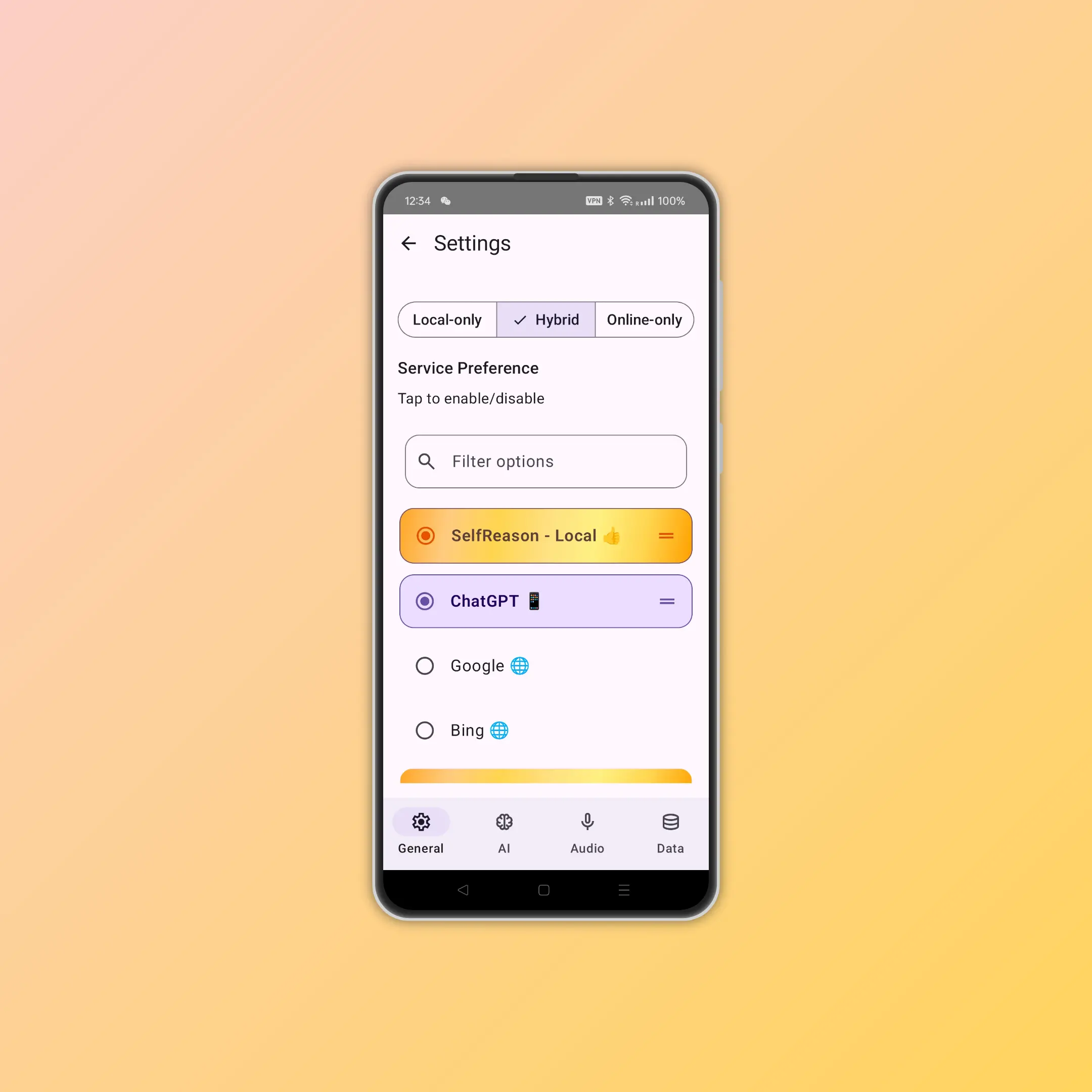
You can route tasks to local AI, AI chat apps installed on your phone, or cloud AI services. For example, you can prioritize local models, route to apps like ChatGPT or Gemini, or use cloud providers such as Claude and Grok.
- 🎯 Flexible choices: supports offline-only, online-only, auto, and custom priority order
- ⚡ Smart allocation: routes tasks to local AI, cloud AI, search engines, or other tools based on context
- 🔄 Consistent experience: keeps UI and status cues as consistent as possible across providers
📘 Usage guide
This section covers three common usage styles: offline AI, cloud AI, and multi-provider AI workflows.
SelfReason offline AI: how to use it
What you need
- 🧠 RAM: 4GB or more recommended
- 💾 Storage: keep at least 15GB of free space if possible
Getting started
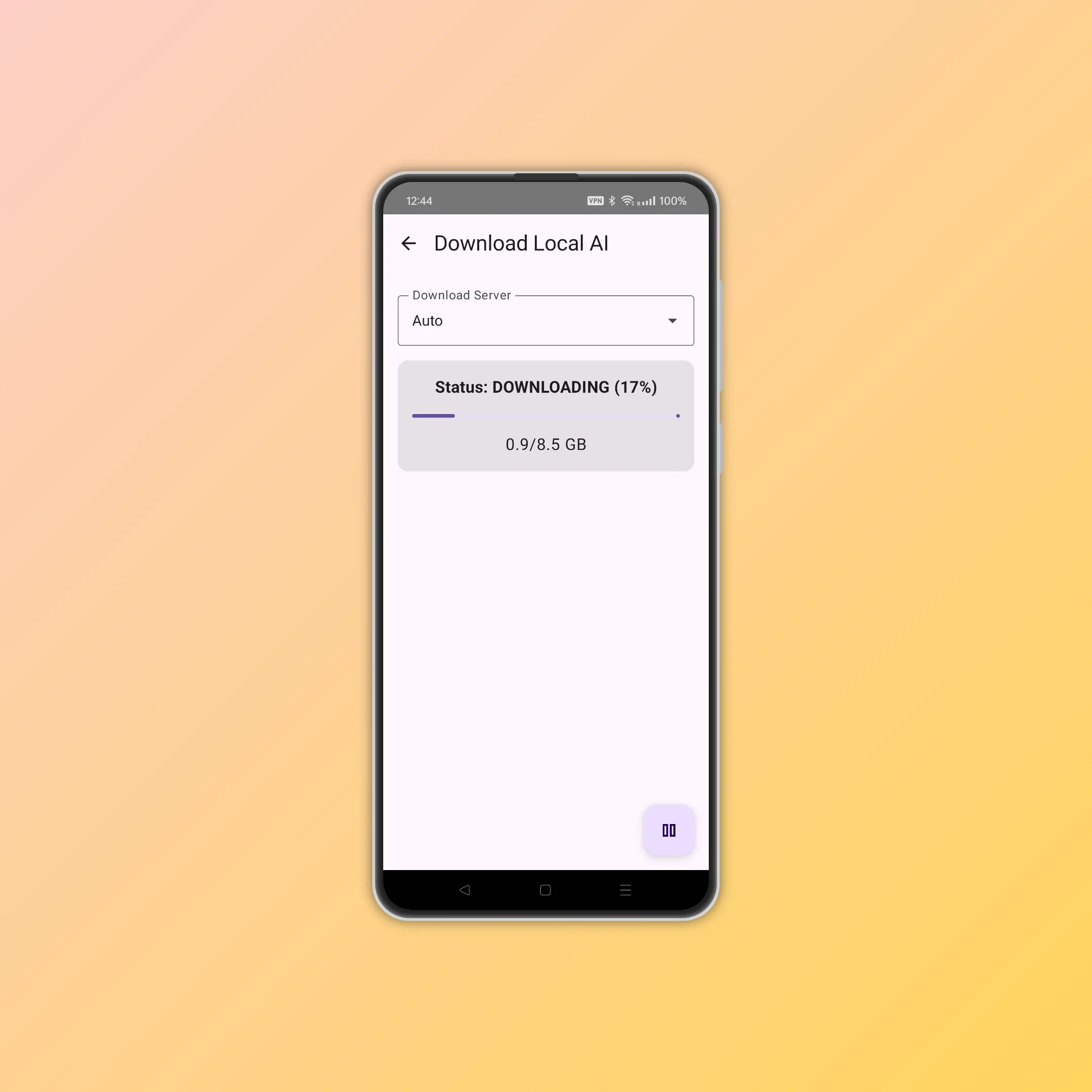
- ⚙️ Open the download page: tap "SelfReason Local", enter settings, and find the download button
- ⬇️ First download: after installation, you will need to download around 5GB of AI data
- ⏳ Wait for completion: we recommend finishing the download before starting a chat and avoiding background switching
- 😵 If download stalls: servers may be busy; wait and try again
- 📋 Status card: the app shows whether local AI is not ready or ready
- 🚀 First launch: the first chat after download may be slower; performance improves after cache warm-up. Some devices may require an app restart after download completes
Usage experience
- 📊 Device status panel: shows CPU, memory, and temperature
- 🖼️ Multimodal input: supports text, voice, and images
- 🧭 Response speed: depends on device performance; replies may take from 1 to 10 seconds

Optimization tips
- 🧼 Resource management: close background apps for better performance
- ⚙️ System settings: add SelfReason to system whitelists, such as battery optimization whitelist
- ☁️ Auto mode: after trying local mode, cloud mode is usually better for everyday usage
SelfReason cloud AI: how to use it
- ⚡ Cloud by default: cloud AI is the default option after installation; ask a few prompts to test speed and quality
- 🔐 Sign in to SelfReason Cloud: after purchasing a membership, tap the top-right button to sign in
- 💳 Membership tiers: check in-app membership cards, or read HuBrowser Membership for Member and Pro details
- 🔄 Cloud sync: one set of preferences and templates can be shared between cloud and local models
Ask multiple AIs together: how to use it
- 🛠️ "AI Council" in settings: adjust provider order based on your preferences
- 🤝 Route by AI type: send tasks to local AI, AI chat apps on your phone, or cloud AI services
- 🧩 Multiple targets supported: for example SelfReason Local, ChatGPT (App), Gemini (App), and cloud GPT or Grok
- 🧭 Sort your favorites: enable, disable, and reorder AI priorities to define your own default strategy
- 🔁 Parallel workflows: ask multiple AIs at once, or pass one AI's response to the next in sequence (here "AI" can also include search engines and tools; tool features are still being expanded)
🔎 Learn more
Menu
- 🧭 Top-left conversation sidebar: manage chats and switch conversations
- 📝 Conversation menu: each chat supports Rename, Pin / Unpin, and Delete
- 📌 Pinned + Recent groups: important chats stay on top and recent chats remain easy to find
- 👈 Swipe inward from the left edge: open the chat list
- 👉 Swipe inward from the right edge: start a new chat
Personal preferences
- 🔤 Flexible languages: supports mixed-language input across all connected services
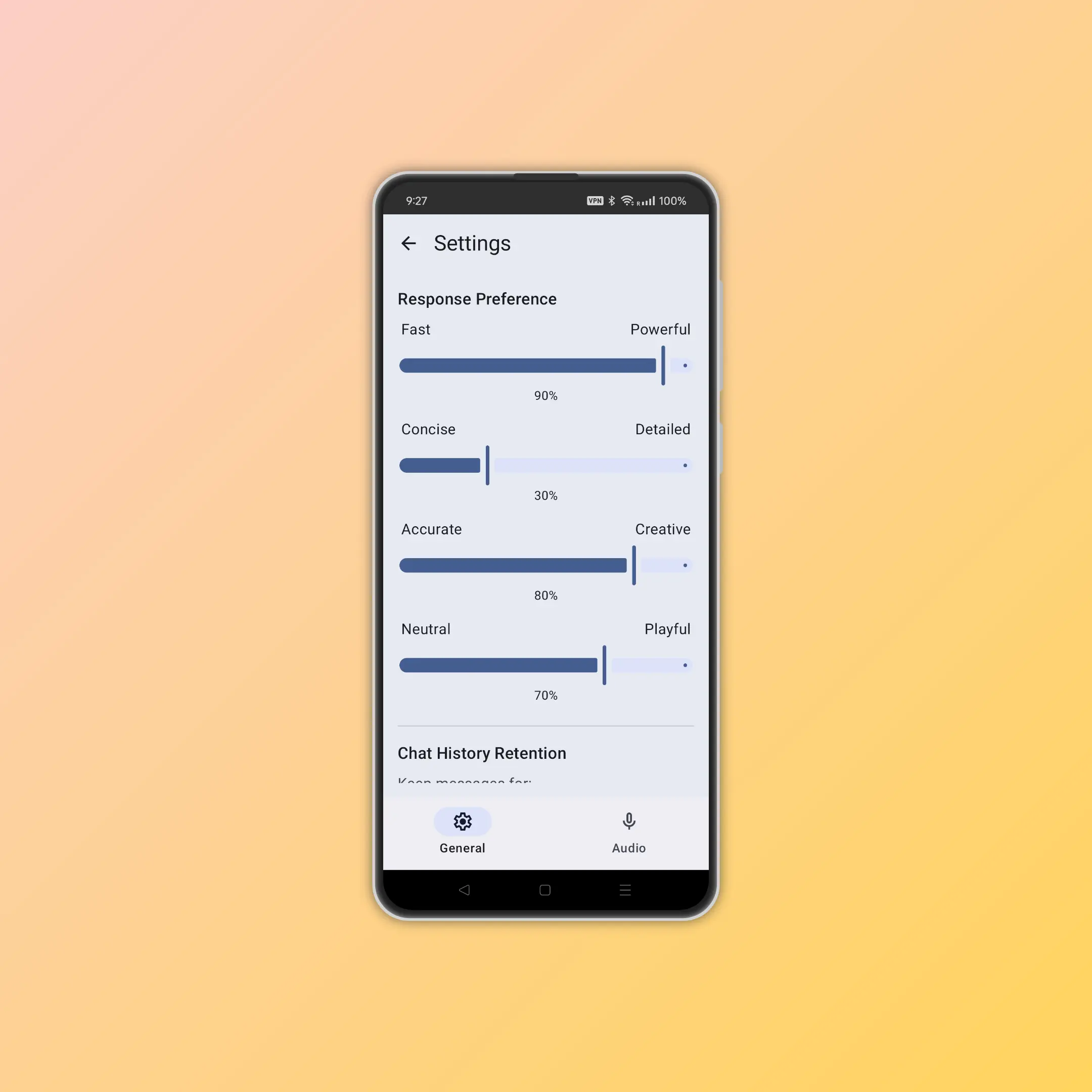
- 😊 Personalized style control: adjust reply style preferences such as formal or humorous, and apply them across models
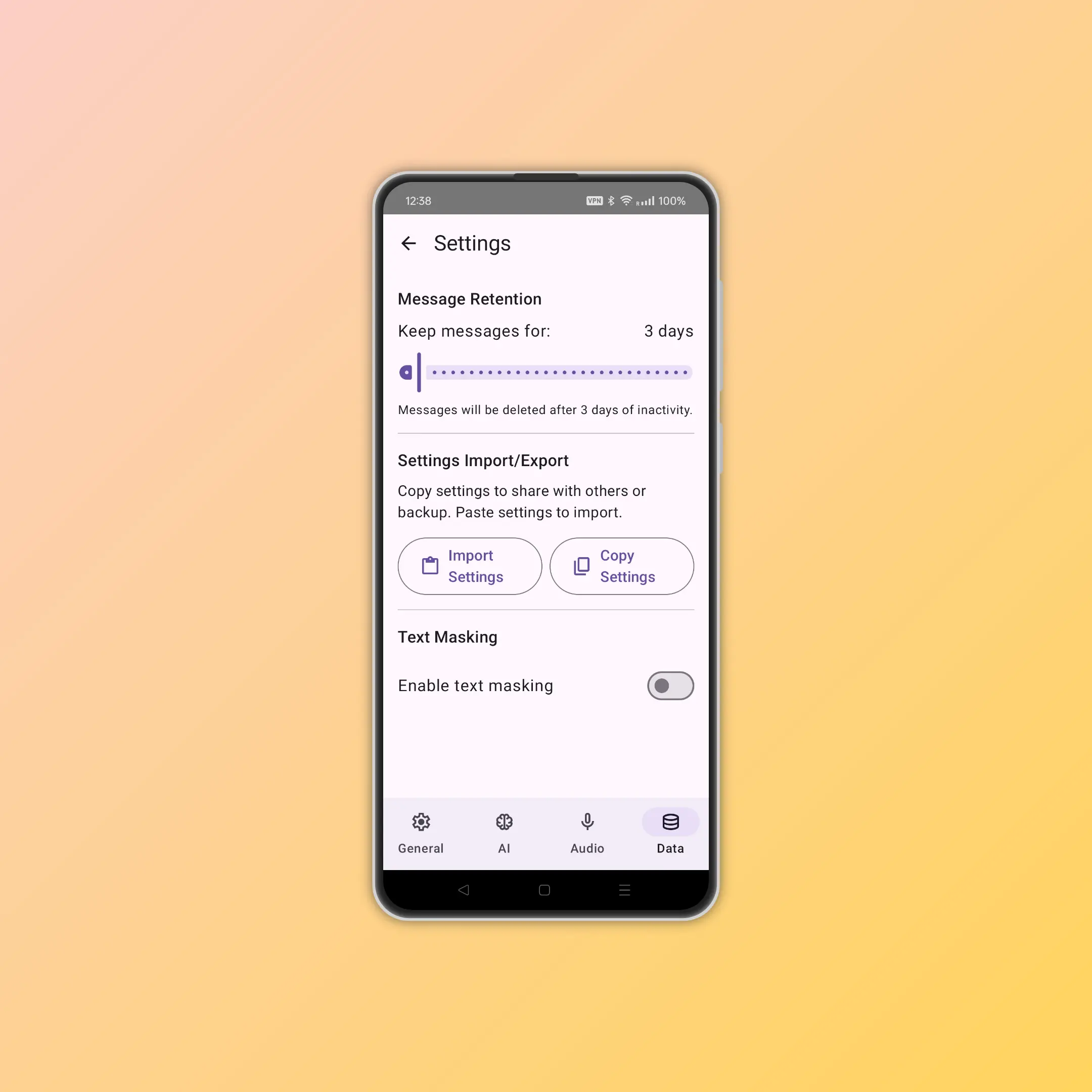
- 📤 Easy export: share your settings with friends or sync them to your other devices
- 📥 Easy import: one-click import of shared settings, including beginner-friendly workflows
- 🔄 Shared parameters: one configuration can keep similar behavior across local and cloud models
- 🎨 Reusable templates: templates for editing, research, formatting, and more can be reused across AI services
Experience
- 🧩 Unified interface: use one familiar interaction model regardless of provider
- 🌍 Automatic selection: available services vary by region, and SelfReason adapts automatically
- 📳 Reply haptics: optional vibration feedback while AI responses arrive
- ↔️ Edge-swipe shortcuts: left edge for chat management, right edge for new chat
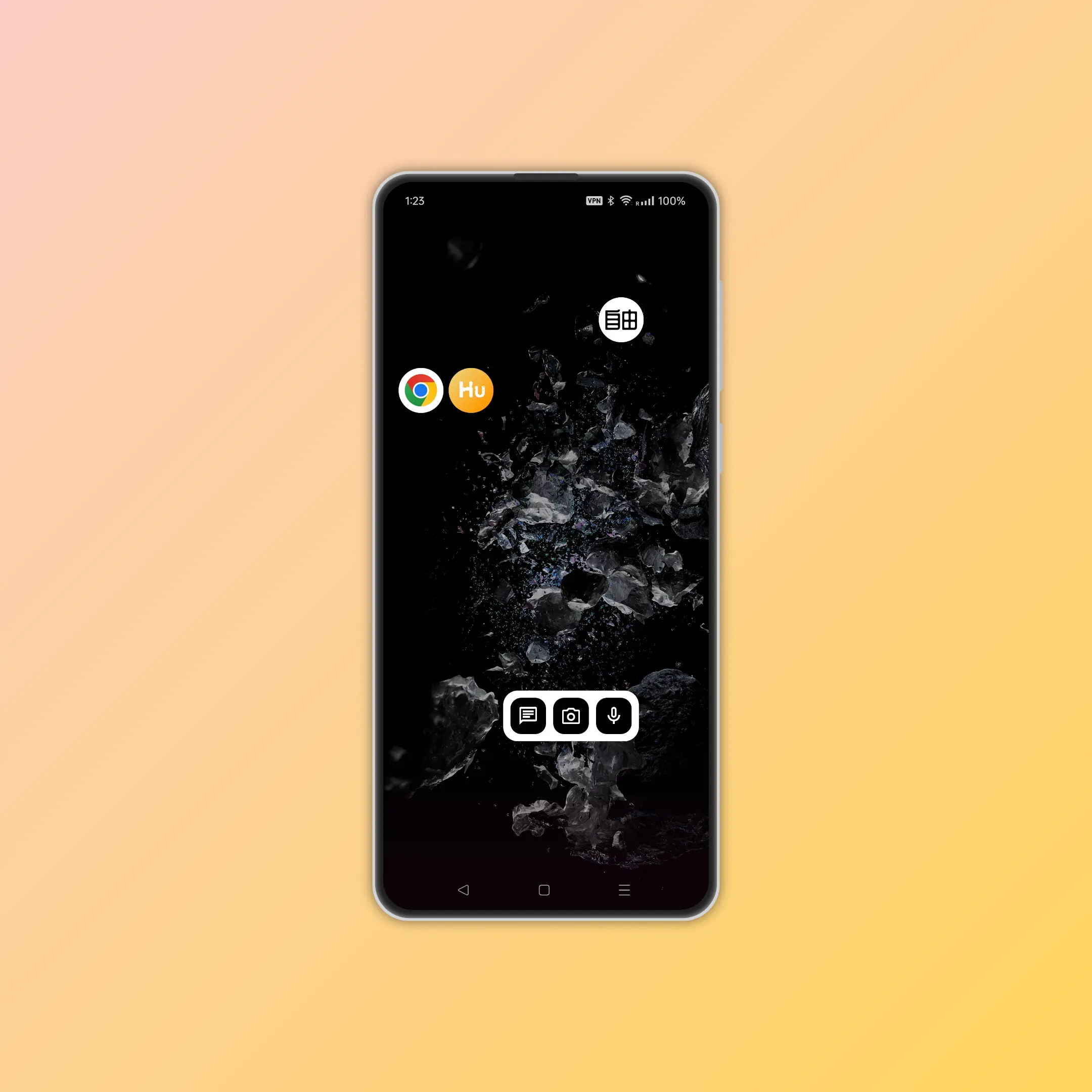
- 📱 Home-screen widgets: one-tap entry to text, image, and voice modes
- 🚀 Widget entry actions: widgets can jump directly to chat, camera, or voice input flows
- 🎨 Multiple widget styles: compact, large, and light variants for different home layouts
- 📐 Tablet layout: on wide screens, the conversation sidebar stays visible next to the main chat area for faster switching
Privacy and security
- 🔒 Zero collection: SelfReason does not collect user data and also helps protect your privacy
- 🏷️ Clear AI status: routing state remains visible, so you know whether local or online service is active
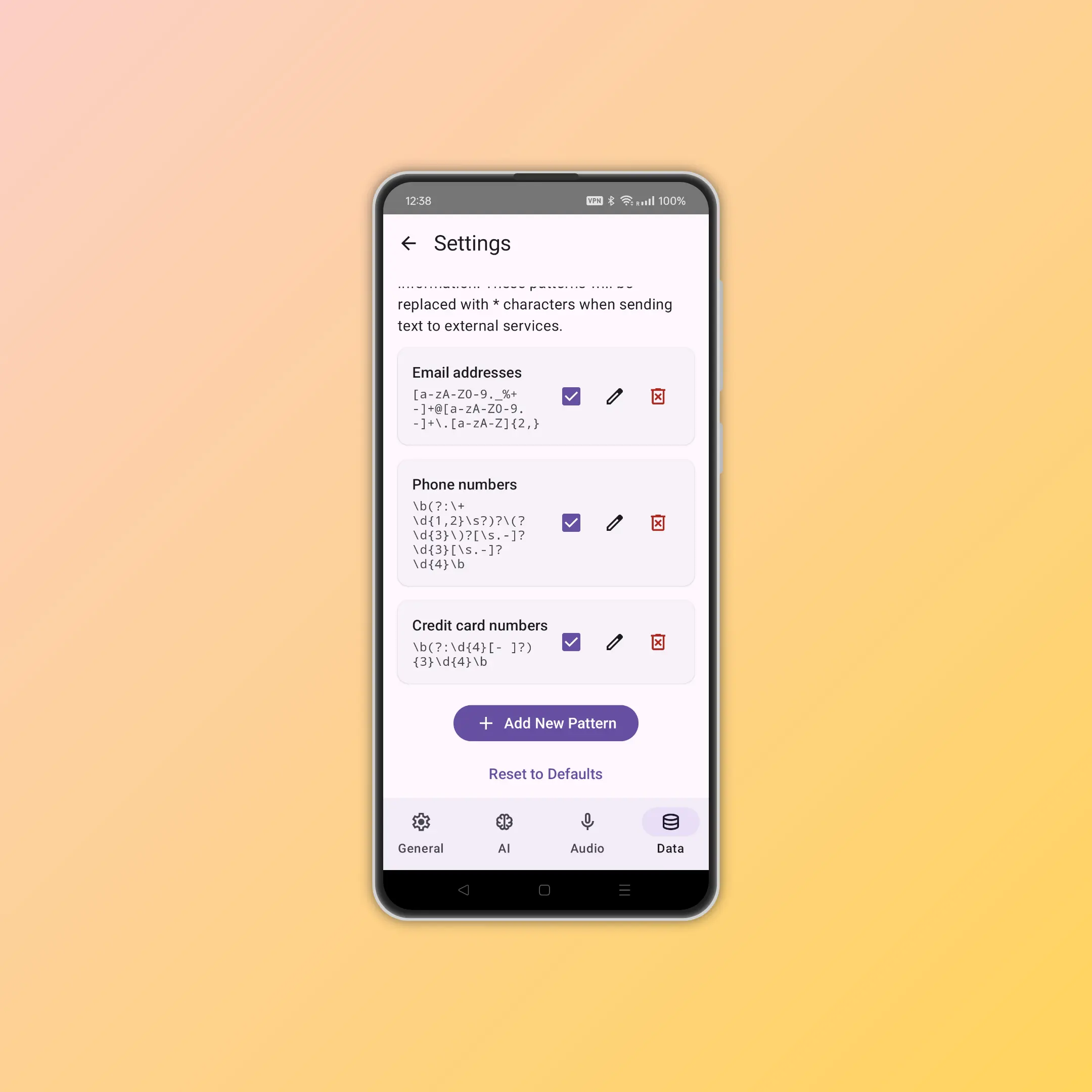
- ⚔️ Information protection: sensitive content can be screened automatically in different scenarios:
- 👤 Personal protection: names, addresses, bank card numbers, and other private information can be masked with asterisks. You do not want personal data sent to cloud AI and then unexpectedly appearing in someone else's outputs
- 🚫 Fewer avoidable refusals: helps reduce refusals caused by occasional sensitive words in long text or multi-image inputs
- 🙈 Content filtering: selectively hide specific content or personal information of strangers
- 👔 Professional mode: avoid inappropriate outputs in work environments or supervised contexts
- 🖼️ Smart image masking: can automatically detect and protect sensitive content in images ⏳
Keyboard shortcuts
- ⌨️ Ctrl+J: new chat
- ⌨️ Ctrl+K: open settings
- ⌨️ Ctrl+L: focus input box
Planned features
Based on current website copy and code markers, these items are still planned:
- 🌐 HuBrowser ecosystem collaboration: use local browsing data from HuBrowser to improve SelfReason reasoning ⏳
- 🤖 Direct execution: SelfReason can directly control tasks in HuBrowser ⏳
- ✈️ Complex task automation: complete browser-based actions such as booking flights, hotels, shopping, and visa applications ⏳
- 🔌 AI enhancement for other apps on your device: install web pages or browser extensions as standalone apps via HuBrowser, then integrate SelfReason capabilities gradually ⏳
- 🖼️ Smart image masking: automatically identify and protect sensitive image content ⏳
- 👨💻 Developer tools / local API: build smarter applications around SelfReason local APIs ⏳
- 🚀 Instant intelligence: bring AI capabilities to web pages, extensions, or Android apps through HuBrowser ⏳
📝 Final note
Try SelfReason now and experience real AI freedom.
- 📥 Google Play (recommended)
- 💬 If you have questions, the easiest way is to contact @HuBrowser on X. You can also email hi@selfreason.com, or reach us through other social channels.