🔢 AI outline
Access this feature through the icon
Tip
HuBrowser membership required
Currently free for a limited time!
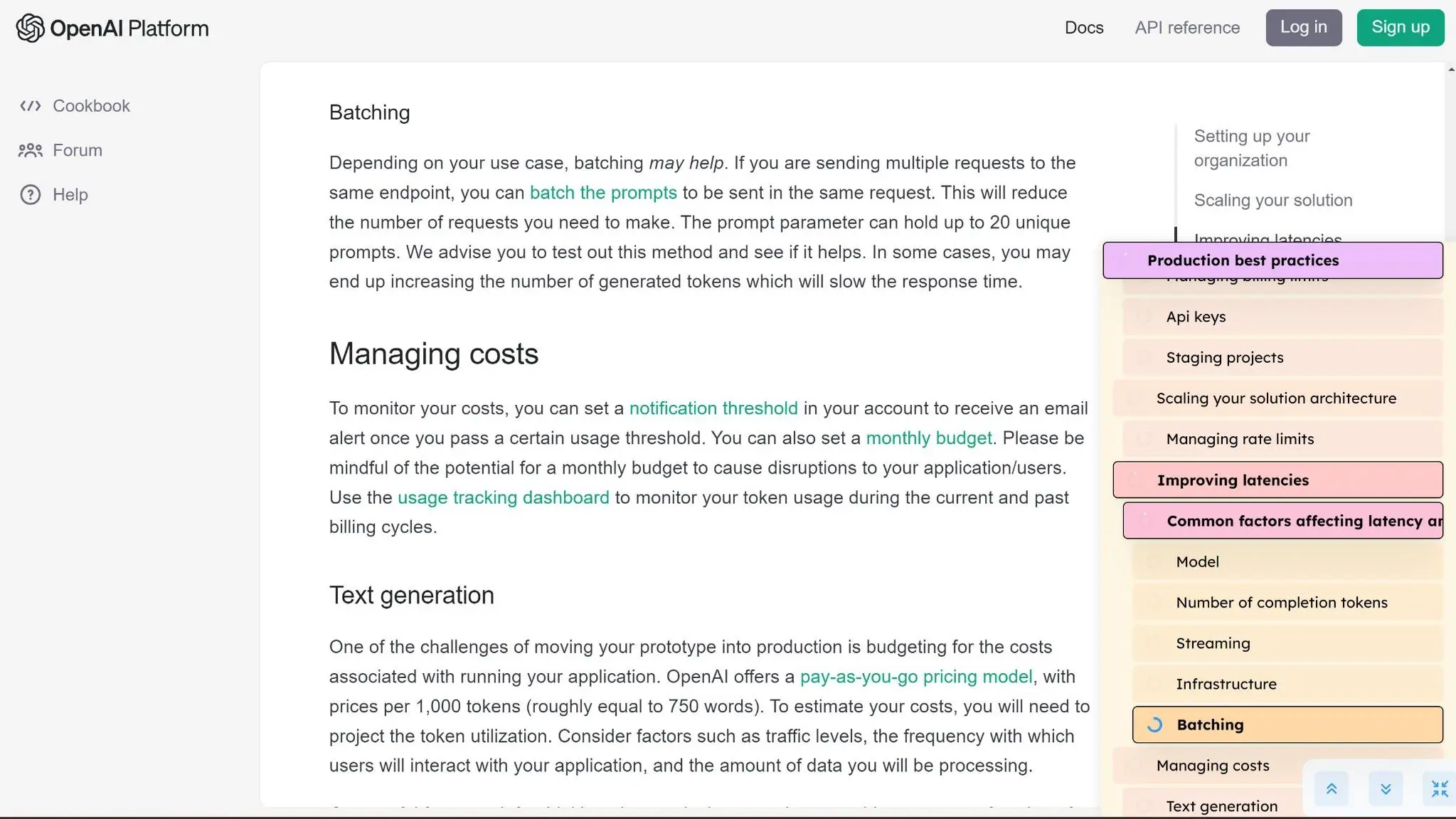
✨ Quick demo
🎯 Why use AI outline?
Some web pages are quite long and can be overwhelming. The AI Outline can automatically extract important sections, allowing you to quickly find the content you want to see.
🛠️ Features & benefits
- 📝 Smart Extraction: Automatically extract important sections for a quick understanding of the page structure
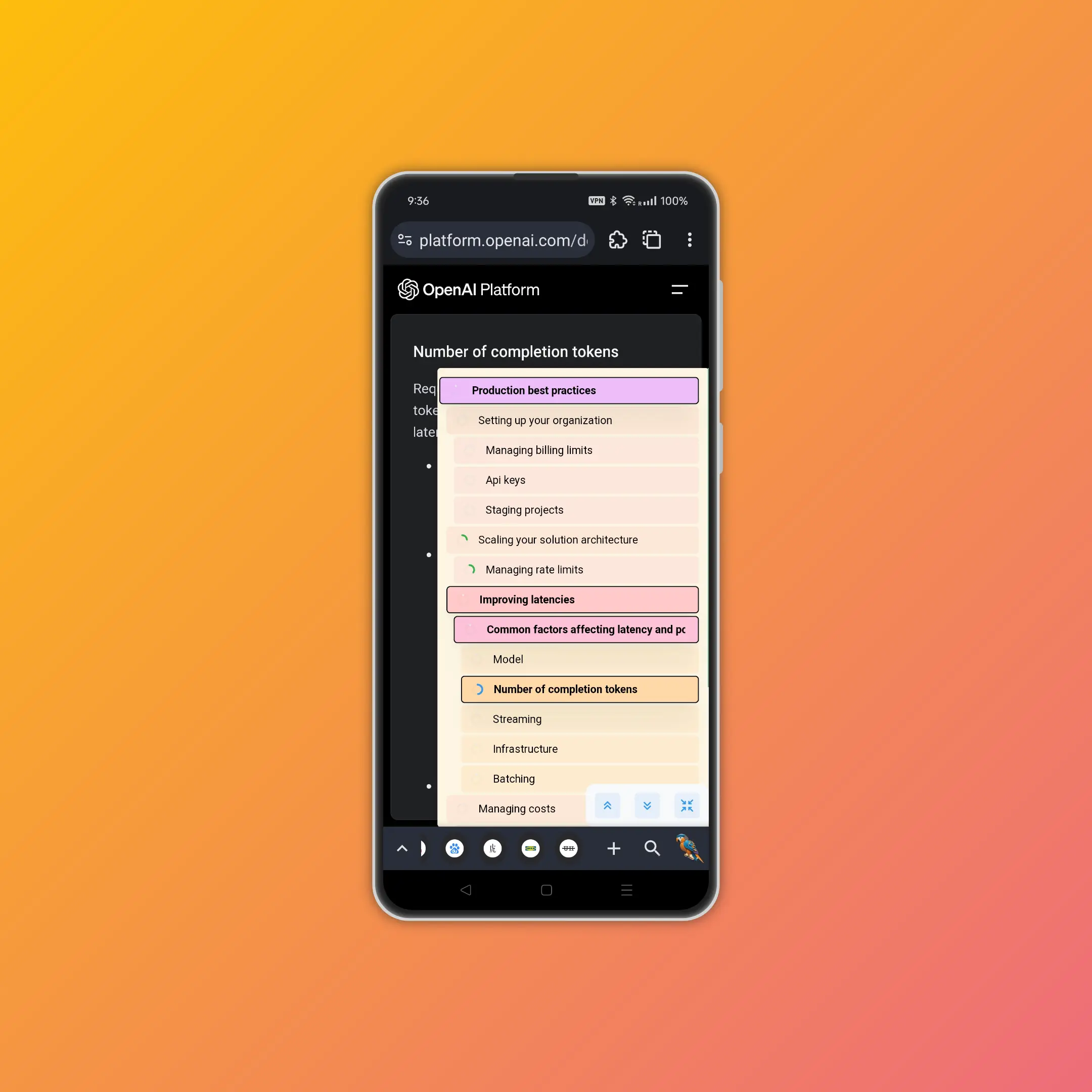
- 🎨 Visual Hierarchy: Different colors and indentation make it easy to distinguish heading levels
- 📍 Position Markers: Rings mark the position of important content, making the structure clear at a glance
- 🖱️ Quick Navigation: Click on a heading to jump directly to it, with a yellow highlight prompt
- 🔵 Progress Tracking: A blue ring shows the current progress, and the heading scrolls and bolds as you move
- 👆👇 Instant Access: One-click to the top or bottom of the page, maximizing efficiency!
- 📱 Flexible Display: The panel can be collapsed or expanded at any time for more flexible browsing
📸 Screenshots
Small screen demo:
Large screen demo: